My Mom, in addition to being the best Mom out there, is a gifted arts and crafts human.
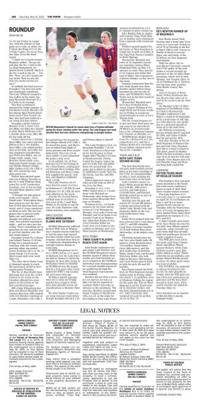
She has given each of her kids and grandkids, and lots of family members amazing scrapbooks for birthdays, anniversaries, trips, graduations, or just because. She is very intentional about gathering pictures that she’s taken or saved from our social media posts. Most of us are not that intentional with our files. Being a member of the Baby Boom generation, she and the Gen-X’ers that follow, are probably the last generations that remember physical photo albums. I loved leafing through those books my grandmas and mom had in their homes.
Spoiler alert: I’m not that organized. In fact, I feel bad for my children (who are solidly Gen-Z adults) because they have no physical proof of their existence in the form of photographs, except those scrapbooks from my mom. In fact, today, as I look at my phone, I have 61,950 photographs in digital format. That’s a massive number of files that have ZERO structure — and it grows by at least 5-10 photos a day (on a light day).
In addition, to a growing number of photographs, I have digital content from previous positions in my career, personal files, and all the files that I have created, collected, and utilized in my day-to-day life as well as my IT Consulting business. All told, with a 2-minute search as I was writing this, I found almost half a million items from the last 15-20 years of my personal and professional life.
I’d say it’s time for some spring cleaning — digital style! We could all benefit from organizing our digital life. My thought process for my own content is to organize it so that if something were to happen to me, the most important content would be immediately available to my family to able to able to continue to access the content that we share, they could have continuity for my business, and they’d have access to my most vital documents including the financial planning documents they’ll most need.
We’ve spoken about “the cloud” multiple times already, but the cloud can be a culprit for causing disorganization, but it can also be a vital tool in “taming the digital content beast.” Most of us are already using a cloud service like OneDrive, iCloud, DropBox, SharePoint, and Google Drive.
In my effort to utilize Artificial Intelligence (AI) to the best of its abilities, I decided about a month or two ago to start streamlining and organizing my own files. It has taken a lot of intentional work sessions and file movement to get to the point where I sit today, with about 75% of my content organized into one cloud-based service. Using those cloud services can be costly. In fact, a lifetime for a digital-native person, such as Gen Z and beyond, can expect to spend tens of thousands of dollars on cloud storage and services — some estimates say it could cost up to $40,000 over a lifetime, with those costs expected to rise.
I mention this because organization and saving only the most important of digital content should be your emphasis.
How do you get started? I’d suggest finding some education online. Do a quick search for “how to organize my digital content” will result in a litany of YouTube and other educational tidbits that can help springboard your digital spring cleaning.
After you’ve had a bit of education, create a logical file structure that makes sense to you. Name your files and folders names that mean something to you. A good rule of thumb would be visualizing yourself five years into the future frantically searching for a financial document you need. What would you name that file to be able to quickly find it if you had not used that file for the previous five years? Long, descriptive file names are generally OK and very helpful.
We’ve spoken before about backup, but in this instance, I’ll emphasize the need for backup again. If you are using traditional, non-cloud-based storage, even more important. Make sure you keep a backup of your storage, especially for your cherished photos.
Not to be too cloud-oriented, but cloud-based backups are a good option. As an IT Professional, I’ve always based my career on starting with backup, continuity, and resiliency. Those are core to every successful IT endeavor, and let’s face it, our lives are very much becoming IT endeavors more and more each day.
As I continue my own digital spring cleaning, I’m reminded of my mom’s scrapbooking skills. If she could apply her scrapbooking skills to my files, I’d most likely be able to find files based on their color, their size, their content, and who knows, do files have a smell? If they did, she’d have them in subsections by smell!
As you start your process, think about how you’d scrapbook your files. Use some of that old-school style planning with your digital content, you never know what you might discover. If you’re looking for some expert advice, you can always call your mom, but she might not understand the cloud the way we do.